
How to Train ChatGPT to Match Your Brand Voice
One of the biggest concerns businesses have when using AI tools like ChatGPT or Claude is this:
“What if everything starts to sound the same?”
It’s a valid concern. Generic, robotic content doesn’t build connection and it certainly doesn’t build a brand.
But here’s the good news:
With the right approach, you can train ChatGPT to sound like you.
Not just once, but consistently.
Why Brand Voice Matters
Your brand voice is more than just how you write. It’s how people experience your business through words.
It reflects your:
Personality
Values
Customer experience
Positioning in the market
Whether you’re writing emails, blogs, or social media posts, your voice creates familiarity. And familiarity builds trust.
When your content sounds consistent across every platform, your audience starts to recognize you instantly and that’s where real brand power comes in.
Step 1: Define Your Tone

Before you can train AI, you need to be clear on your voice.
Ask yourself:
Is your tone formal or conversational?
Do you prefer simple or detailed explanations?
Are you direct, friendly, educational, or persuasive?
For example:
A corporate brand might sound structured and professional
A modern startup might sound casual, sharp, and slightly playful
There’s no “right” tone, only what aligns with your brand.
Clarity here is everything.
If your tone is vague, your AI output will be too.
Step 2: Provide Real Examples

The fastest way to train ChatGPT is to show, not just tell.
Instead of relying only on instructions, give it real samples of your content:
Past emails
Blog posts
Website copy
Social media captions
Then guide it with a prompt like:
“Analyze the tone of the content above and write future responses in the same style.”
This allows the AI to pick up on:
Sentence structure
Word choice
Personality
Rhythm and flow
The more examples you provide, the more accurate the output becomes.
Step 3: Be Specific With Instructions

Generic prompts lead to generic results.
Instead of saying:
“Write a caption”
Try something like:
“Write a short Instagram caption in a clear, conversational tone. Keep it helpful, slightly educational, and not overly salesy. Use simple language and a confident voice.”
Notice the difference?
You’re not just asking for content, you’re setting expectations.
When working with ChatGPT, think of it like briefing a team member. The clearer your direction, the better the outcome.
Step 4: Edit and Refine
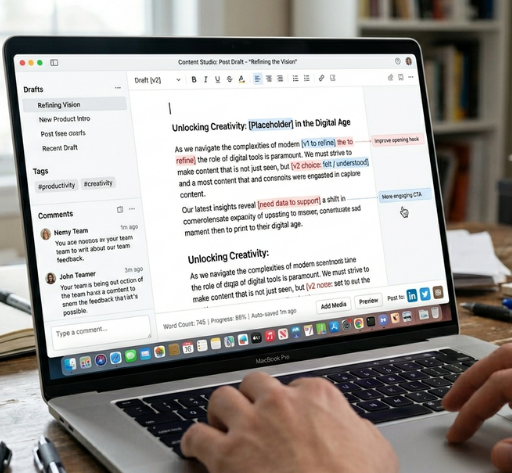
Even with great prompts, AI-generated content should never be “copy and paste.”
Think of it as a strong first draft.
Refine it by:
Adjusting wording to match your natural phrasing
Adding brand-specific terms or expressions
Injecting personality where needed
Simplifying anything that feels robotic
This step is where your voice truly comes to life.
Step 5: Create Reusable Prompts
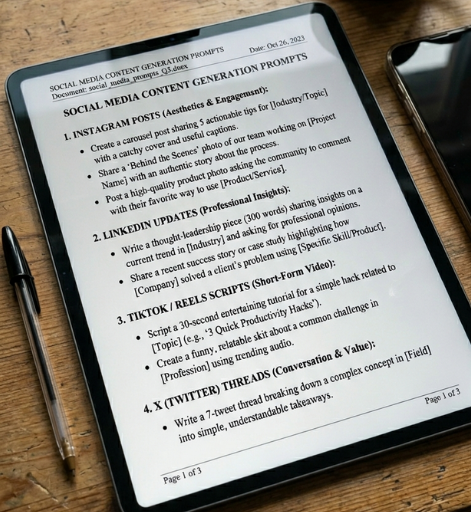
Once you find prompts that work, don’t start from scratch every time.
Save them.
Build a small library of “go-to” prompts for:
Captions
Emails
Blog intros
Offers and promotions
Over time, this turns ChatGPT into a consistent extension of your workflow, not just a one-time tool.
The Result: AI That Sounds Like You
When used intentionally, ChatGPT stops sounding generic.
It starts to:
Reflect your tone
Communicate your ideas clearly
Maintain consistency across your content
And most importantly…
It begins to feel like an extension of your brand, not a replacement for it.
FAQs: Training ChatGPT for Brand Voice
1. How do I make ChatGPT sound like my brand?
Provide tone guidelines, examples, and clear prompts, then refine outputs consistently.
2. Do I need technical skills to train ChatGPT?
No. Simple instructions and examples are enough to guide AI effectively.
3. Why does AI content sound generic?
Because prompts lack context, tone direction, and examples.
4. Can ChatGPT fully match my voice?
Yes, over time with consistent input and refinement it will match your voice.
5. How long does it take to train AI for brand voice?
You’ll see improvements immediately, with stronger consistency over repeated use.
6. Can this help with customer communication?
Yes. It ensures consistent, professional, and clear messaging across all touchpoints.
Final Thoughts
AI doesn’t replace your voice.
It amplifies it, if you train it correctly.
The businesses getting the best results from ChatGPT aren’t just using it casually. They’re guiding it, refining it, and building systems around it.
That’s the difference between generic content…
…and content that actually connects.