
What Is the Difference Between AI Automation and AI Assistants
You asked your team to look into AI. They came back with three tools, four acronyms, and zero clarity on what actually solves your problem.
Here's the one distinction that clears it all up.
Automation and AI assistants are related, but they work differently and serve different purposes. Mixing them up is one of the most common reasons businesses invest in AI and see no real results.

What Is AI Automation?
AI automation is about creating systems that run on their own once they are set up.
These systems follow a defined flow. For example:
• When a lead fills out a form, they automatically receive a message
• When someone books an appointment, they get reminders
• When a customer asks a common question, they get a pre-built response
Automation is predictable. It handles repeatable tasks efficiently and consistently.
Once it is working properly, it requires very little input from you.
What Is an AI Assistant?
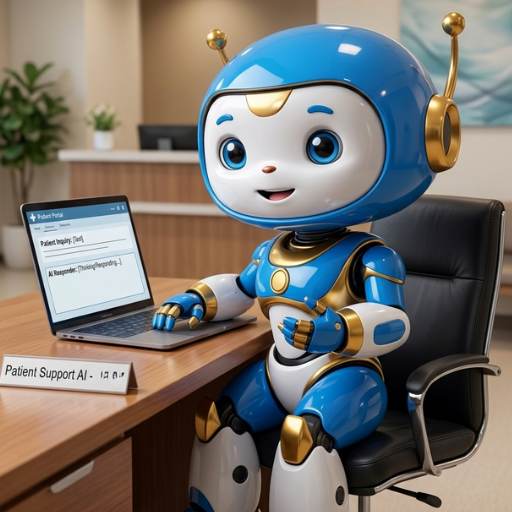
An AI assistant is more flexible.
Instead of following a strict flow, it can respond to different situations in real time.
For example:
• Answering customer questions through chat
• Responding to messages in a conversational way
• Helping write content or emails
• Adjusting responses based on context
AI assistants are designed to interact, not just execute.
They are useful when situations vary and require a bit more adaptability.
The Key Difference
The simplest way to think about it:
Automation follows rules. Assistants respond to situations.
Both are valuable, but they serve different roles in your business.
Where Do Small Businesses Go Wrong With AI?
Most small businesses make one of two mistakes:
1. Starting With Assistants Instead of Automation
They jump into chatbots or conversational AI without fixing operational bottlenecks.
Result: A chatbot that can't handle anything outside its script and customers who feel like they're talking to a wall. The manual work doesn't go away; it just gets more complicated.
2. Relying Only on Automation
They automate everything but ignore customer experience.
Result: You end up with is a system that runs efficiently behind the scenes but feels cold and robotic to the people on the other end. Efficiency without connection loses customers.
What Works Best: Combining Automation + AI Assistants
The most effective approach is not choosing one, it’s using both together.
Use AI Automation for:
Follow-ups
Scheduling confirmations and reminders
Repetitive admin tasks
Lead nurturing sequences
Use AI Assistants for:
Conversations with patients or clients
Answering unique questions
Personalizing communication
Improving tone and engagement
Examples:
Healthcare practice: Automation sends appointment reminders. The AI assistant answers patient questions and handles booking. No extra staff needed.
Home services business: Automation follows up with every new lead within minutes. The AI assistant handles the back-and-forth on scheduling and quotes. Jobs get booked while the owner is on a job site.
Where to Start With AI
If you’re new to AI, start simple.
Step 1: Fix One Bottleneck
Focus on a clear issue:
Slow response times
Missed follow-ups
Disorganized communication
Step 2: Implement Automation First
Build a reliable system that runs consistently.
Step 3: Layer in AI Assistants
Enhance communication and customer experience.
Example:
Start with automated follow-ups → then add an AI assistant to handle conversations
The Bottom Line
The businesses that get the most out of AI aren't the ones using the most tools. They're the ones who understand what each tool is actually for.
Start simple. Pick one problem. Build one system. Then layer from there.
If you want help figuring out exactly where to start in your business, that's what we do at Inspired AI Hub. Book a free strategy call and we'll map it out with you.
Explore more AI resources for small business owners →
FAQs: AI Automation vs AI Assistants for Small Business
1. What is the difference between AI automation and AI assistants?
Start with automation. Fix the operational gaps first — missed follow-ups, slow responses, disorganized leads. Once those systems are running reliably, layer in an AI assistant to handle the conversational side. Building on a solid foundation always outperforms jumping straight to the flashy stuff.
2. Which should I use first in my business?
Start with automation. Fix the operational gaps first — missed follow-ups, slow responses, disorganized leads. Once those systems are running reliably, layer in an AI assistant to handle the conversational side. Building on a solid foundation always outperforms jumping straight to the flashy stuff.
3. Can AI replace my staff?
No, and that's not the goal. AI supports your team by handling the repetitive, time-consuming tasks that drain energy and focus. That frees your staff to do the work that actually requires a human — building relationships, solving complex problems, and delivering a great experience.
4. Is AI difficult to implement for small businesses?
Not anymore. Most modern AI tools are designed for non-technical business owners and can be set up without any coding knowledge. If the setup still feels overwhelming, working with a specialist makes the process faster and less stressful than figuring it out alone.
5. How does AI improve customer experience?
By reducing response times, improving consistency, and enabling real-time interaction even outside business hours. Customers get faster answers and smoother communication, which builds trust and reduces frustration on both sides.
6. What is the best first AI use case?
For most small businesses, the highest-impact starting point is automating follow-ups, scheduling reminders, or implementing an AI phone agent to handle missed calls. These are high-frequency, predictable tasks that deliver immediate time savings and a measurable improvement in lead conversion.