
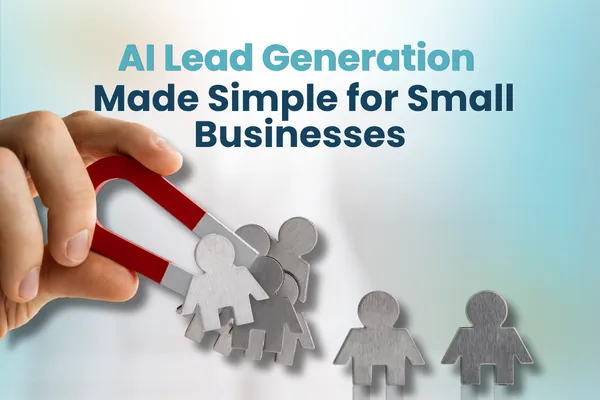
I Lead Generation Made Simple for Small Businesses
AI, Lead Generation, Small Business
How to Use AI Lead Generation for Small Business Without Living in Spreadsheets
If you’re tired of “AI lead generation for small business” sounding like another shiny promise that just gives you more tools to manage, you’re not alone. In this guide, you’ll see how AI can quietly take over the most time‑sucking parts of prospecting research, list building, and first outreach, so you can spend more time talking to real people and less time clicking around LinkedIn.

The real problem: lead generation is eating your week
Let’s start with what you already know: lead generation is exhausting. One “quick” research session turns into two hours of clicking through LinkedIn, company websites, and old spreadsheets. You finally build a list, and then half the emails bounce or the people aren’t actually a fit. Meanwhile, your real work is waiting and so are the clients you already have.
You’ve probably tried a few tools before. Maybe a CRM that promised “automated lead generation,” or a Chrome extension that scraped contacts, or even a generic AI chatbot that generated vague prospect lists. The result? More noise, not more revenue. It’s no surprise that 53% of sales professionals still say lead generation is their top challenge, even with AI tools on the market (Seamless.ai, 2026 AI Sales Survey).
So if you’re skeptical, that’s healthy. The goal here is not to convince you that “AI will change everything.” It’s to show you how AI prospecting can quietly fix the specific parts of lead generation that waste your time and how to do it in a way that fits a small business, not a 50‑person sales team.
How AI actually fixes lead generation headaches (without replacing you)
When people talk about AI lead generation for small business, they often jump straight to “look at this fancy tool.” Let’s stay practical and talk about what AI is doing behind the scenes and why it matters to your calendar and your cash flow.
1. Turning vague ideal customers into specific, searchable profiles
Most small businesses start with “we work with small to mid‑sized companies” or “busy professionals in our city.” That’s too broad for good prospecting. AI can analyze your existing customers industry, size, location, buying triggers and help you define a clear ideal customer profile (ICP) in minutes instead of hours of manual guessing. Tools like Apollo.io and Clay are built around this idea: they let you filter by very specific attributes, then use AI to refine who’s actually worth talking to (TechnologyAdvice, 2026; Zarif Automates, 2026).
2. Doing the boring lead research so you don’t have to
AI lead research tools pull in data from dozens of sources company size, tech stack, recent funding, hiring trends, even the content your prospects are posting publicly. Platforms like Cleanlist and Clay chain multiple data providers together to verify emails and enrich records, so you’re not copying and pasting from websites all afternoon (Cleanlist, 2026; Zarif Automates, 2026). Cleanlist, for example, reports 98% verified emails across 25+ data sources, which means far fewer bounces and dead ends (Cleanlist, 2026).
3. Prioritizing the leads that are actually worth your time
Not all leads are equal. Some are just curious. Others are ready to talk this week. AI prospecting tools score leads based on behavior and fit who visited your pricing page, opened three emails, or matches your best customers. Benchmarks show AI lead scoring can be about 40% more accurate than traditional rule‑based scoring (AdAI, 2026), and companies using AI in their lead process report roughly 20% higher pipeline velocity (AdAI, 2026). Translated: more of your conversations turn into real opportunities, faster.
4. Handling first outreach and follow‑up without sounding robotic
Automated lead generation does not have to mean spam. Modern tools can personalize emails based on each prospect’s role, company, and recent activity. Cold email platforms like Instantly and Smartlead use AI to adjust send times, subject lines, and follow‑ups to protect your domain reputation and improve replies (Zarif Automates, 2026; Easeclaw, 2026). AI‑assisted nurturing has been shown to produce up to 50% more sales‑ready leads compared with manual nurturing alone (Searchlab, 2026).
💡 Quick reality check: AI is not here to replace your judgment. It’s here to do the research, sorting, and repetitive messaging so that when you do step in, you’re talking to warmer, better‑fit prospects with context already in front of you.
The most useful AI tools for small business lead generation (and who they’re really for)
There is no single “best” AI prospecting platform. The right choice depends on your budget, tech comfort, and sales motion. Here’s a straightforward breakdown no hype, just where each tool tends to shine for small businesses.
Apollo.io – The all‑in‑one starter for scrappy teams
Apollo.io combines a large B2B contact database with sequences, basic AI scoring, and a built‑in dialer. Expert reviews often rank it as the best all‑around fit for SMBs because you can search, enrich, and launch email sequences from one place, starting around $49 per user per month (Zarif Automates, 2026; TechnologyAdvice, 2026). If you don’t want to stitch together five different tools, this is a strong starting point for AI sales prospecting.
Best for: Owners or small sales teams who want one platform to handle list building and outreach, and are okay with spending a bit of time learning the interface.
Clay & Cleanlist – When quality research matters more than volume
If your deals are higher value and you care more about accuracy than sending thousands of emails, Clay and Cleanlist are worth a look. Clay is great for building custom AI research workflows pulling in data from multiple sources and letting AI write short summaries on each account (TechnologyAdvice, 2026). Cleanlist focuses on data enrichment and verified contact details, with strong accuracy claims and deep coverage (Cleanlist, 2026). Together, they can give you smaller, but much more qualified lists for targeted outreach.
Best for: Service businesses, consultants, and agencies where one good client is worth a lot and where sending generic mass emails would hurt your brand.
Instantly, Smartlead & Expandi – For cold email and LinkedIn‑heavy outbound
These tools exist to help you run high‑volume outreach without burning your domain or your LinkedIn account. Instantly and Smartlead focus on deliverability, inbox rotation, and AI‑assisted personalization for email, while Expandi leans into LinkedIn‑first campaigns with some email mixed in (Zarif Automates, 2026; Easeclaw, 2026; Expandi, 2026). They can be powerful but they also make it very easy to scale bad messaging if you’re not careful.
Best for: Businesses with a clear niche, a tested message, and someone who can spend time monitoring replies and adjusting campaigns. Not ideal if you’re still figuring out who your best customers are.
Zapier, Nexos.ai & AI agents – Connecting everything so leads don’t fall through the cracks
Orchestration tools like Zapier and Nexos.ai let you build simple automations: when a new lead fills out a form, enrich their data, score them, add them to your CRM, and send a personalized intro email no manual steps. Zapier is often highlighted as a top choice for AI lead generation workflows because it connects so many tools without code (Zapier, 2026). Nexos.ai and other AI agent platforms can go further, letting you design agents that handle multi‑step tasks across tools.
If you’re curious about AI agents more broadly how they can run parts of your business on autopilot, this post from Inspired AI Hub on AI agents and business automation is a helpful next read: AI Agents: Boosting Business Automation Efficiency.
Best for: Owners who already have a few tools in place (CRM, forms, email) and want them to behave like one system instead of five separate islands.
A simple, realistic path to getting started with AI prospecting
Let’s keep this grounded. You do not need a full “AI stack” on day one. You need one or two clear problems solved, ideally ones that give you time back within a week. Here’s a practical path you can follow, even if you’re not “techy.”
Step 1: Decide which part of lead generation hurts the most
Finding leads with AI: You have time for calls, but not for research.
Qualifying leads: You get plenty of inquiries, but many are not a fit.
Following up: Leads go cold because you can’t keep up with email.
Pick one. That’s your starting point. If you want a broader view of where AI fits into your business before you commit, this Inspired AI Hub guide is a good foundation: AI Tools for Small Business: Getting Started Guide.
Step 2: Start with one tool and one workflow
Here’s a simple example of AI lead generation for small business that you could set up in a week:
Use Apollo.io’s free or entry plan to build a list of 100 companies that match your ideal customer profile location, size, industry, and role of decision‑maker.
Enrich that list with job titles and verified emails (either inside Apollo.io or with a tool like Cleanlist if you need higher accuracy).
Ask an AI assistant (like ChatGPT or your own custom GPT) to draft three short outreach email templates tailored to that audience then adjust them to sound like you. Inspired AI Hub has a helpful walkthrough on building a personal AI assistant here: Build Your Personal AI Assistant with ChatGPT.
Load those templates into Apollo.io, Instantly, or Smartlead and send a small batch 20–30 contacts, to test messaging, not thousands.
Review replies, adjust your message, then scale only what works.
Step 3: Automate the repetitive pieces, not everything
Once you’ve proven a small workflow works, then you automate. For example:
New leads from your website or forms go into your CRM automatically with enriched data (via Zapier and an enrichment tool).
Warm leads (visited pricing, opened multiple emails) get a simple, AI‑drafted follow‑up sequence.
You get a daily summary of the top 5 leads to personally reach out to no digging through dashboards.
If you’re curious about how AI automation fits beyond lead generation email, scheduling, customer follow‑up, this post is a strong companion: AI Automation for Small Businesses: How to Save Hours Every Week.
What can go wrong with AI lead generation (and how to avoid it)
AI prospecting can absolutely save you time and money, but only if you avoid a few common traps. Here’s the honest version most tool vendors gloss over.
Risk 1: Treating AI like a magic lead faucet
If you plug in a broad audience, hit “go,” and expect perfect leads, you’ll be disappointed. AI is powerful, but it works best with clear inputs. Remember that 61% of marketers still say generating high‑quality leads is their biggest barrier (CIENCE, 2026). AI helps, but it doesn’t fix a vague offer or unclear target market. You still need a solid ideal customer profile and a compelling reason for someone to talk to you.
How to avoid it: Start small, with one narrow segment and one clear offer. Use AI to scale only after you see real conversations and conversions from a small test list.
Risk 2: Damaging your reputation with spammy outreach
With AI, it’s easy to send 5,000 emails in a few clicks. It’s also easy to annoy 5,000 people just as fast. While AI‑driven outreach can improve response rates especially when paired with good intent data (AdAI, 2026) those benefits disappear if your messages are generic or mis‑targeted. Once your domain reputation suffers, everything gets harder, from newsletters to one‑to‑one emails.
How to avoid it: Limit early campaigns to small batches. Manually review messages. Make it easy to opt out. And never rely on AI alone for messaging use it as a draft, then edit for tone and accuracy. Inspired AI Hub’s post on training ChatGPT to match your brand voice can help here: How to Train ChatGPT to Match Your Brand Voice.
Risk 3: Paying for tools you don’t have time to use
Many AI sales prospecting platforms are built for teams with full‑time SDRs. If you log in once a week and never set up workflows, you’re just adding another subscription line to your expenses. Remember, only about 30% of employees use AI tools at least a few times per week, even when their organizations have them (Gallup, 2026). Adoption is the real challenge, not access.
How to avoid it: Start with one tool and commit to using it for a specific, measurable workflow like “build and contact 50 new prospects per week.” If it doesn’t earn its keep, cancel and reassess. For help evaluating which tools are worth paying for, this article is useful: How to Decide Which AI Tools Are Worth Paying For.
Risk 4: Letting AI run without guardrails or human review
AI can misinterpret data, pull in outdated information, or make confident but wrong assumptions. That’s annoying in a blog post; it’s damaging in a sales email. You don’t want AI confidently referencing a product the prospect no longer sells or mis‑stating their role. And you definitely don’t want it sending messages at odd hours without you realizing it.
How to avoid it: Keep a human in the loop. Review new workflows, spot‑check messages, and monitor replies. Think of AI as a junior assistant it can do a lot, but it still needs your oversight.
How to Use AI for Lead Generation Without Spending Hours Researching Prospects – FAQ
Can AI really find qualified leads for a small local business?
Yes, if you give it the right criteria. AI prospecting tools can filter by location, industry, company size, and role, then enrich those leads with contact details and context. For local businesses, the key is to define a very specific profile (for example, “dental practices with 3–10 staff within 50 miles”) and let AI handle the research instead of trying to be “for everyone in town.”
What’s the easiest way to start using AI for lead generation if I’m not technical?
Start with one simple workflow, not a full system. For example, use Apollo.io to build a small list of targeted leads, then use an AI assistant like ChatGPT to draft three outreach emails you can personalize. You don’t need to touch code or advanced settings, just clearly describe your ideal customer and your offer, then let AI handle the heavy lifting on research and writing while you stay in control of what gets sent.
How do I make sure AI outreach doesn’t sound generic or robotic?
Use AI for the first draft, not the final send. Feed it a few real emails you’ve written that landed well, ask it to match that tone, and then tweak the results. You can also have AI personalize only a small section of each email, such as a sentence referencing the prospect’s company while the rest stays consistent and on‑brand. A quick human review before sending keeps your outreach sounding like you, not like a bot.
How much should a small business expect to spend on AI lead generation tools?
Many small businesses start effectively in the $50–$200 per month range, using one core tool for prospecting and a second for outreach if needed. The real question is whether the tool helps you book more qualified conversations than you would without it. If a $79 monthly tool helps you land even one extra good client every few months, it usually pays for itself. Start lean, prove the ROI, then upgrade only when you outgrow your current setup.
Can AI replace a sales rep or do I still need someone doing outreach?
AI can replace a lot of the repetitive tasks a sales rep does research, data entry, basic follow‑ups but it doesn’t replace real conversations, negotiation, or relationship‑building. Think of AI as a force multiplier: it can make one person feel like three by handling the grunt work in the background. You still need a human leading the strategy, having calls, and making judgment calls about which opportunities to pursue.
What’s the difference between AI lead research and automated lead generation?
AI lead research focuses on finding and enriching information about potential customers who they are, how to reach them, and whether they fit your ideal profile. Automated lead generation goes a step further by also sending outreach, nurturing leads, and routing them into your CRM with minimal manual work. In practice, most small businesses start with AI lead research, then add automation as they get more comfortable and see what actually works.
Bringing it all together: AI as your quiet lead research partner
AI lead generation for small business doesn’t have to mean a complete overhaul of how you sell. Done well, it simply means you stop spending your best hours hunting for contact details, chasing unqualified leads, and writing the same emails over and over. Instead, AI handles the research, scoring, and first touches so you can focus on conversations, proposals, and closing work that actually moves the needle.
Inspired AI Hub is built around that idea. We help small businesses use AI prospecting tools, AI lead research, and light automation to identify better prospects and cut out the repetitive parts of prospecting without losing the personal touch that makes people want to work with you in the first place. If you’d like help mapping a simple, realistic AI lead generation workflow for your business, you can book a free strategy call here: AI Strategy Call with Inspired AI Hub. We’ll keep it focused on your pipeline, your time, and what’s actually doable in the next 30–60 days