
AI Tools for Small Business: Getting Started Guide
AI for Small Business, AI Tools, Automation, Getting Started
If you are looking for practical AI tools for small business owners to get started, but you are tired of hype and half-baked promises, this guide is for you. You will walk away knowing which AI tools are actually worth testing, how to start using AI in a small business without breaking anything, and a simple path to real AI automation for small business owners who want time back, not another tech headache.
Let’s be honest: AI has probably overpromised you before
You have heard that AI will “change everything.” What you have actually seen is a few clunky chatbots, some generic content, and tools that take more time to learn than they save. Meanwhile, your day is still packed with emails, follow-ups, scheduling, and “quick questions” that are never quick.
You are not alone. The U.S. Census Bureau found that fewer than 20% of the smallest firms (under 20 employees) are using AI, even though larger businesses are moving faster with adoption. 1 At the same time, Intuit’s 2026 AI Impact Report shows that 77% of small and midsize businesses who do use AI are seeing real benefits. 2 So the gap is not about AI working. It is about AI feeling realistic for a business like yours.
This is where Inspired AI Hub comes in. Our focus is simple: help service business owners find the right starting point for AI so you can reclaim your time, grow sustainably, and increase profit without adding more staff or stress.
The real problem: you do not need “AI” you need fewer plates to spin
Most small business owners are not asking, “How do I implement AI?” You are asking, “How do I stop working nights and weekends?” or “How do I grow without hiring three more people I cannot afford yet?” That is the problem we need AI to solve time, money, and stress not vague “innovation.”
According to a Goldman Sachs–Babson College survey, 93% of small businesses already using AI say it has had a positive effect, especially on efficiency and productivity. 3 The catch? Only 14% have fully embedded AI into their operations. Most are still in “tool testing” mode, trying things in isolation instead of designing a simple, realistic plan.
💡 Reality check: You do not need a full AI “strategy” to start. You just need one annoying, repetitive problem and a tool that reliably takes it off your plate.
Before the tools: a simple way to decide where AI should start in your business
Let’s talk about how to start using AI in a small business without getting overwhelmed. Forget the tech for a moment. Start with three questions:
Where am I doing the same thing over and over? Think follow-up emails, appointment reminders, intake questions, or basic FAQs.
What do I avoid because it takes too much brainpower? Writing content, documenting processes, or summarizing long documents usually land here.
Where do things fall through the cracks? Missed calls, slow response times, leads not followed up, or inconsistent marketing.
These three areas line up with the most practical forms of AI automation for small business owners: communication, content, and coordination. If you want a deeper breakdown of what AI is already doing in small businesses today, the Inspired AI Hub post “What Is AI and How Is It Actually Being Used in Small Businesses Today?” is a helpful next read.
Best AI tools for small businesses in 2026: start with these 4 categories
You do not need a hundred tools. In 2026, the best AI tools for small businesses fall into a few clear buckets. Think of these as “starter categories” rather than a shopping list. I will share examples, but the point is what the tool does, not the logo on the login screen.
1. AI writing and content assistants (your “always-on copy partner”)
If you are constantly behind on blogs, emails, or social posts, this is the lowest-friction place to start. Tools like ChatGPT, Gemini, and Claude can help you draft, rewrite, and repurpose content in minutes instead of hours. You stay in control of the ideas and the final voice—AI just speeds up the messy middle.
Best for: Owners who know what they want to say but do not have time to write it from scratch.
Real example (before): You spend 2 hours writing one email newsletter, so you send it “when you have time,” which is almost never.
Real example (after): You drop bullet points into an AI assistant, get a draft in 60 seconds, and spend 10 minutes editing. You now send a newsletter every two weeks without adding a single extra hour to your schedule.
If content is your first pain point, bookmark the Inspired AI Hub guide “How to Use AI for Content Creation: A Simple Guide for Small Business Owners” and “10 Ways Business Owners Can Use ChatGPT in Under 10 Minutes a Day.” Both walk through practical, non-technical ways to get quick wins.
2. AI phone agents and receptionists (so you stop living in your voicemail)
Missed calls are missed revenue. But hiring a full-time receptionist is expensive, and you cannot be glued to your phone all day. This is where AI phone agents and AI receptionists shine. They can answer basic questions, capture caller details, qualify leads, and even book appointments—24/7—then send you a clean summary.
Best for: Service-based businesses that get a lot of calls—contractors, healthcare practices, home services, coaching, or local professional services.
Real example (before): Calls roll to voicemail while you are with clients. You listen to messages at 7 p.m., call people back late, and some have already gone elsewhere.
Real example (after): An AI phone agent answers, says exactly what you would say, and texts you a summary with the caller’s details and next steps. You follow up in batches during business hours, not in the parking lot between appointments.
If this sounds like the pressure point in your business, start with the posts “AI Phone Agents: The Smarter Way to Manage Your Business Calls” and “AI Phone Receptionist for Service-Based Businesses: 8 Features That Actually Matter.” They break down what to look for so you do not overpay for features you will never use.
3. AI automation platforms (connect the dots between your tools)
This is where AI automation for small business owners really starts paying off. Tools like Zapier, Make, and AI-enhanced CRM or booking platforms can move data between systems and trigger actions automatically. Think: when someone fills out a form, they get a personalized email, your team gets a task, and your CRM gets updated without anyone copying and pasting.
Best for: Owners who already use a few online tools (CRM, calendar, forms, email) and are tired of manual follow-up or data entry.
Real example (before): A lead fills out your website form. You see it hours later, reply manually, and hope they are still interested.
Real example (after): AI automation sends a tailored response within minutes, offers a booking link, adds them to your pipeline, and reminds you to follow up if they do not schedule.
For a deeper dive into where automation saves the most hours, the Inspired AI Hub article “AI Automation for Small Businesses: How to Save Hours Every Week” and “5 Repetitive Tasks Small Businesses Should Stop Doing Manually” are worth your time. Read them with a notebook you will spot at least one process you can automate this month.
4. AI-enhanced CRM and marketing tools (so follow-up does not depend on your memory)
Many CRMs and email platforms now include built-in AI: suggested email copy, send-time optimization, lead scoring, and simple predictive insights. Forbes notes that AI-driven marketing and CRM tools are becoming essential for small businesses that want to optimize campaigns and sales without a large team. 4 You do not need every feature, just the ones that make consistent follow-up easier.
Best for: Businesses with leads slipping through the cracks because follow-up is inconsistent or manual.
Real example (before): You have a list of past inquiries and old clients, but no system to stay in touch. Revenue is unpredictable.
Real example (after): AI helps you segment contacts, draft simple campaigns, and schedule check-ins. You get more repeat business without “launching a marketing campaign.”
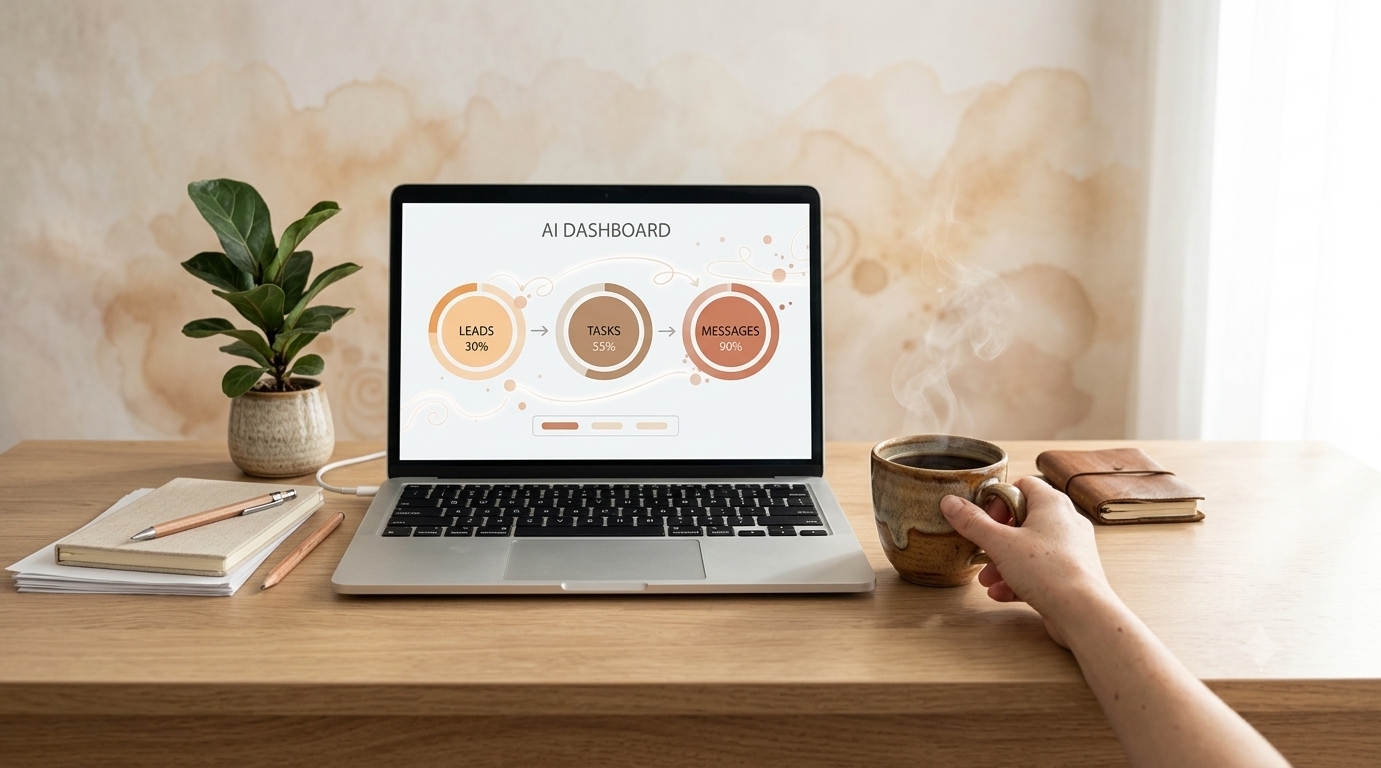
A clear AI dashboard turns scattered tasks into a simple daily action list.
A realistic 4-step path to start using AI in your small business
Let’s put this together into something you can actually act on this week. Here is a simple, low-risk way to get moving, without trying to “AI-ify” your whole business at once.
Step 1: Pick one problem, not one tool
Choose the single area that costs you the most time or stress right now. Examples:
“I am buried in emails and follow-ups.”
“We miss calls and lose leads when we are busy.”
“Content and marketing always fall to the bottom of the list.”
💡 Pro Tip: If you are not sure where to start, the Inspired AI Hub post “Top 5 AI Myths That Keep Small Businesses Stuck” can help clear out the mental clutter so you can see the real opportunities.
Step 2: Choose the lightest-weight AI tool that addresses that one problem
Once you know the problem, pick the smallest, simplest tool that helps:
Overwhelmed by writing and ideas? Start with an AI writing assistant (ChatGPT, Gemini, or your email platform’s AI features).
Drowning in missed calls? Start with an AI phone agent or receptionist.
Losing track of leads or tasks? Start with AI inside your CRM or a simple automation between forms, email, and calendar.
Business News Daily recommends exactly this kind of “start small” approach one use case, one tool then expanding as you see results. 5 You do not need the “best AI tool” on paper. You need the one you will actually use.
Step 3: Set a 30-day experiment, not a forever decision
Commit to testing the tool for 30 days with one clear goal. For example:
“Save 3 hours a week on writing and documentation.”
“Cut missed calls by 50%.”
“Respond to all new leads within 2 hours during business days.”
Track a few simple numbers: time spent, leads captured, calls missed, or emails sent. At the end of 30 days, decide: keep, adjust, or cancel. No guilt, no sunk-cost thinking. Just data.
Step 4: Layer in simple AI automation once the basics work
Once you have one tool working, you can start connecting pieces. This is where AI tools for small business owners to get started turn into a real system. For example:
Your AI phone agent sends call summaries to your CRM, which triggers an AI-drafted follow-up email and a reminder task for your team.
Your website form feeds directly into a sequence: AI qualifies the lead, sends a booking link, and nudges them if they do not schedule.
If you want help deciding which tools are actually worth paying for as you scale, the post “How to Decide Which AI Tools Are Worth Paying For” walks through a simple ROI lens that keeps you out of shiny-object territory.
What can go wrong with AI (and how to avoid the usual headaches)
You are right to be a little skeptical. AI is powerful, but it is not magic and it is not risk-free. Here are the most common issues small businesses run into, plus how to sidestep them.
Over-automation too early. You hand everything to AI before you have a clear process yourself. Result: confusion, inconsistent experiences, and more cleanup work. Fix: document the simplest version of your process first, then automate it step by step. The post “Before You Add AI to Your Business: 5 Things Small Business Owners Must Get Right” is designed exactly for this.
Generic, off-brand content. AI writes like a robot, and your audience feels it. Fix: train your AI tools with your own examples and guidelines. Start with “How to Train ChatGPT to Match Your Brand Voice.”
Shadow AI and security worries. Team members quietly use their own tools with no oversight. Fix: choose a small set of approved tools, set simple rules (what data is okay to share, what is not), and keep logins centralized.
Unclear ROI. You pay for tools but cannot see if they are working. Fix: tie each AI tool to one clear metric hours saved, leads captured, response time and review it monthly.
📌 Key takeaway: AI should feel like a helpful team member, not a mystery box. If you cannot explain what a tool is doing for you in one sentence, it is either too complex for where you are—or not configured correctly yet.
Questions Small Business Owners Ask About “AI for Small Business: Where Should You Start?”
Is my business too small to benefit from AI tools?
Probably not. In fact, newer and smaller firms are often the ones who benefit fastest because they can adapt more quickly. The U.S. Census Bureau shows that very small firms lag in adoption, not because AI does not work for them, but because they lack guidance. 1 If you have repetitive tasks, customer questions, or content to create, AI can help even if it is just you and a laptop right now.
What are the best AI tools for small businesses in 2026 if I am just starting?
Start with one tool in each of these areas: an AI writing assistant (for emails and content), an AI phone agent or chatbot (for basic customer questions), and simple AI automation inside your CRM or scheduling tool. Forbes and Business News Daily both highlight these categories as high-ROI starting points for small businesses. 4,5 You can always upgrade later; the goal is to get one tool delivering real value first.
How much time can AI automation actually save a small business owner?
It depends on how much you automate, but hours per week is realistic not minutes. In surveys cited by Goldman Sachs, 84% of small businesses using AI report efficiency and productivity gains. 3 When you automate tasks like follow-up emails, appointment reminders, call summaries, and simple data entry, you can easily reclaim 5–10 hours a week without changing your business model at all.
Will AI replace my team or make my staff nervous about their jobs?
Most small businesses use AI to reduce overload, not headcount. The U.S. Chamber of Commerce Foundation reports that 50% of small-business workers already use AI primarily to boost productivity, not to automate away their roles. 6 When you position AI as “the assistant that handles the boring parts,” your team usually feels relief, not fear especially if you are clear about your intentions.
How do I avoid wasting money on AI tools I do not use?
Tie every tool to one problem and one metric before you pay for it. For example, “This AI phone agent should reduce missed calls by 50%” or “This writing assistant should cut my content time in half.” Test it for 30 days, measure the result, then decide whether to keep it. If you want a simple framework for this, read “How to Decide Which AI Tools Are Worth Paying For.”
Do I need technical skills to start using AI in my small business?
No. Most of the best AI tools for small businesses in 2026 are built for non-technical users. If you can use email, a browser, and basic apps, you can use AI tools with a bit of guidance. Where it gets tricky is choosing the right tools and setting them up in a way that matches your workflows, which is exactly where a partner like Inspired AI Hub can shorten the learning curve.
Your next step: choose your first win with AI tools for small business owners to get started
AI is no longer a “someday” project. Intuit’s data shows that over three-quarters of small and midsize businesses are already using it, 2 and the ones who start now are building a real advantage in time, consistency, and capacity. But you do not need a giant transformation. You just need one clear, meaningful win like fewer missed calls, faster follow-up, or finally staying consistent with your marketing.
Inspired AI Hub exists to help service business owners find that exact starting point: the right AI tools for small business owners to get started, the best AI tools for small businesses in 2026 for your situation, and a realistic plan for AI automation that supports your growth instead of adding stress. If you would like help mapping out your first 30–90 days with AI, you can book a free AI strategy call at this link and we will walk through it together no jargon, no pressure, just a clear path forward.