
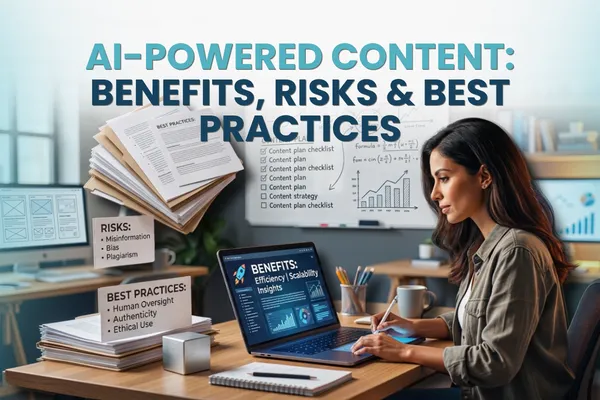
AI-Powered Content: Benefits, Risks & Best Practices
AI, AI-powered content creation, Small business marketing
If you’ve ever stared at a blinking cursor thinking, “I do not have another blog post in me,” you’re not alone. AI-powered content creation promises to fix that but after all the hype, it is fair to wonder if it will actually save you time, or just give you more to manage. By the end of this guide, you will know where AI genuinely helps, where it can burn you, and how to use it in a way that protects your brand and your sanity.
Why does content creation feel so heavy right now?
You already know you “should” be posting consistently, emailing your list, updating your website, maybe even making short videos. But you also have customers to serve, invoices to chase, and a business to actually run. Content keeps slipping to the bottom of the list until something feels urgent, and you scramble to throw something together at 10 p.m.
You have probably also tried an AI tool or two. Maybe it spat out something that sounded robotic, off-brand, or just wrong. So you spent time fixing it and thought, “I could have written this faster myself.” That frustration is real. The problem is not you, it is how most people are using AI, with no clear process, no guardrails, and no human oversight plan.
💡 Quick reassurance: You do not need to become a “prompt engineer” or buy ten tools. You need a simple, repeatable way to let AI handle the heavy lifting while you stay in charge of the message.
What are the real benefits of AI in content creation for small businesses?
Let’s start with why AI-powered content creation is worth your attention at all. When it is set up well, AI can give you three things you are probably short on: time, budget, and mental energy. Here is how that looks in practice, not in theory.
Faster first drafts: Instead of spending two hours on a blog outline, AI can generate one in minutes. OpenAI’s GPT‑5.5, for example, is designed to handle long-form writing, research, and document creation, so you are not starting from a blank page every time (OpenAI).
More content from what you already have: A single podcast episode or webinar can be turned into blog posts, social posts, email sequences, and video clips with the help of AI tools that summarize, repurpose, and reformat content automatically. Many B2B marketers now list content creation as a top AI use case, precisely because it stretches existing assets further (CMO Huddles report).
Better personalization without more staff: AI can help you tailor messages to different customer segments first-time buyers, repeat clients, local vs. national so people feel like you are speaking directly to them, not blasting the same generic message to everyone. AI-powered personalization has been shown to lift revenue by 10–15% and improve marketing ROI by 10–30% in B2B settings (CMO Huddles report).
Consistent presence, even on your busiest weeks: AI can help you plan an editorial calendar, draft posts in batches, and keep your brand visible without you living on social media. If staying visible is a struggle, you might also like Inspired AI Hub’s post on using AI to stay consistent online, which walks through simple workflows you can copy (How to stay consistent online with AI).
The key theme here: AI saves you time on the thinking about what to say stage and the repeating yourself stage. You still guide the message, you just do not have to build every sentence from scratch.
What are the biggest risks of AI-generated content you should watch for?
Now for the part most AI cheerleaders gloss over. AI-generated content can absolutely create problems if you treat it as “auto-publish” instead of “first draft.” In 2026, those risks are not theoretical they are showing up on real websites and social feeds every day.
Bland, generic writing: If you paste a vague prompt into a general AI model, you will usually get something that sounds like everyone else. That makes it harder, not easier, to stand out and your regular customers can feel the shift immediately.
Inaccurate or misleading information: AI can sound confident while being wrong. That is especially risky if you work in regulated industries like healthcare, finance, or legal services. Research on AI in content creation highlights misinformation and bias as major concerns if outputs are not checked carefully (ScienceDirect umbrella review).
Reputation damage and audience distrust: Platforms like YouTube now require creators to disclose when media is AI-generated or heavily altered, especially in sensitive topics (Android Central). If your audience feels tricked or spots obvious AI “slop” trust drops fast.
Legal and intellectual property questions: Some tools train on large datasets that may include copyrighted content. Platforms like Shutterstock are addressing this by combining AI with licensed libraries and ensuring contributors are compensated (Shutterstock). But you still need to know what your tools allow you to do commercially.
📌 Key takeaway: The risks of AI-generated content are real, but they are manageable with clear rules, good tools, and human oversight. AI should not make decisions your brand would not stand behind.
Which AI content creation tools are actually worth your time?
There are hundreds of AI content creation tools in 2026. You do not need most of them. For a small business, you want a short list that covers writing, visuals, and maybe video, without adding a new full-time job just to manage software. Here is a practical breakdown, not a tool buffet.
How can general AI assistants help with everyday writing?
Chat-based assistants (ChatGPT, Gemini, Claude, etc.): These are your main workhorses for blogs, emails, FAQs, and social captions. OpenAI’s GPT‑5.5, for example, is optimized for writing, analysis, and document creation, and is now widely integrated into other tools (OpenAI). They are best for owners who are comfortable editing but want a strong starting point.
If you are just getting started with this type of assistant, Inspired AI Hub’s guide on “10 Ways Business Owners Can Use ChatGPT in Under 10 Minutes a Day” is a good low-stress place to start (10 quick ChatGPT wins).
What about tools for visuals and brand assets?
Adobe Firefly and Creative Agent: Adobe has rolled AI into Photoshop, Premiere, Illustrator, and more. Its AI Assistant can help create brand kits, product visuals, and quick video edits from simple descriptions (Adobe). This is a good fit if you or someone on your team already uses Adobe tools and wants to speed up production, not replace design entirely.
Shutterstock’s human-led AI platform: Combines AI with a licensed content library, so you can adapt images and video while knowing original creators are compensated (Shutterstock). This is useful for small businesses that need professional visuals but do not have in-house designers.
How can AI help with video content?
Google’s Gemini Omni and related tools: These support video creation and editing, including Shorts-style content and conversational editing workflows (Google). They are ideal if you are already using YouTube or Google products heavily.
TwelveLabs Rodeo and Pippit: Rodeo lets you describe the video you want and assembles clips accordingly (TwelveLabs), while Pippit focuses on professional-grade video and image production for SMEs (Pippit). These make sense if video is a big part of your marketing and you are tired of hunting through footage manually.

How do you keep human oversight at the center of AI content?
Think of AI as a very fast, very literal assistant. It can draft, summarize, and repurpose at scale, but it does not understand your customers, your history, or your reputation the way you do. Human oversight is what turns “generic AI output” into “trusted, on-brand content.”
In a 2026 survey of 550 creators, 89.2% said they always review and edit AI-generated content before publishing (Kit creator economy report). That is the model you want to follow AI as copilot, not ghostwriter. Human taste and judgment are increasingly seen as the real creative advantage, with AI handling the heavy lifting (CreativeBloq).
💡 Pro tip: If a piece of content could meaningfully impact revenue, reputation, or compliance a sales page, a key email campaign, anything in healthcare or finance, it should always get a human review, no exceptions.
What are the best practices for AI content creation that actually work?
How do you set clear roles for AI vs. humans?
Let AI handle: brainstorming topics, outlining, rough drafts, repurposing (turning blogs into emails, emails into social posts), summarizing long documents, and suggesting variations for headlines or calls to action.
Keep humans in charge of: strategy (what you should create and why), final messaging, sensitive claims, tone and voice decisions, and anything that requires deep context about your customers or local regulations.
If you are not sure how to define your brand voice for AI, the Inspired AI Hub guide on training ChatGPT to match your brand voice walks through this step-by-step with examples (Train ChatGPT to match your brand voice).
How can you avoid “AI slop” and keep quality high?
Use detailed prompts with examples: Instead of “write a blog about SEO,” try “write a 1,000-word blog for local home service businesses who are skeptical about SEO, in a warm, direct tone, using short paragraphs and concrete examples.” Then paste in a sample of your past writing for reference.
Ask AI to critique its own work: Once you have a draft, ask the tool to point out weak spots, missing specifics, or places that sound generic. Then you decide what to keep or change.
Layer in your real stories: Add your own examples, client experiences, and local details. AI is great at structure and clarity; you are great at real-world nuance. Together, that is what makes content feel human.
How do you build a simple, realistic AI-powered content workflow?
Pick one core channel to focus on first. For most small businesses, that is either your website blog or email list. Do not try to “AI everything” in week one.
Create a monthly content theme. For example, “Spring maintenance tips” if you are a home services business, or “Healthy habits for busy professionals” if you are a wellness provider. Ask AI to brainstorm subtopics and questions your customers might ask around that theme.
Use AI to draft, you edit once a week. Batch your review time. Let AI generate outlines and drafts during the week, then spend one focused block editing, personalizing, and scheduling.
Repurpose with intention. Turn each blog into 3–5 social posts, one email, and a short video script. This is where AI shines at reformatting without you rewriting everything.
If you want more help deciding which tools are actually worth paying for as you build this workflow, the Inspired AI Hub post on evaluating AI tools is a helpful companion piece (Which AI tools are worth paying for).
FAQ's
Is AI-powered content creation really worth it for a small business?
Yes, if you use it strategically. The biggest benefits of AI in content creation are time savings, lower production costs, and the ability to stay consistent without hiring a full marketing team. The key is to treat AI as a drafting and repurposing tool, not as a replacement for your judgment or brand voice. When you keep humans in the loop, AI can quickly pay for itself in hours saved and opportunities captured.
What are the main risks of AI-generated content for my brand?
The biggest risks are inaccurate information, generic or off-brand tone, and potential legal issues if you publish unverified claims. There is also a trust risk if your audience feels you are hiding AI use or pushing out low-effort content. You can reduce these risks by always reviewing AI outputs, adding your own expertise and examples, and being transparent when content is heavily AI-assisted or synthetic, especially for images and video.
How much human oversight do AI content workflows really need?
At minimum, every AI-generated piece should get a quick human review for accuracy, tone, and fit with your goals. High-stakes content like sales pages, medical or financial information, or anything with legal implications deserves a deeper edit and sometimes expert review. Many creators now use AI for 60–80% of the drafting work, but keep humans fully responsible for the final 20% that shapes voice, nuance, and trust.
Which AI content creation tools should I start with first?
Start with one strong general AI assistant, like ChatGPT or Gemini, and use it for writing and repurposing content. From there, add a visual tool that fits your workflow, such as Adobe Firefly if you already use Creative Cloud, or a platform like Shutterstock’s AI suite if you rely on stock media. Only add specialized tools like advanced video agents once you have a simple, working process for your core channels.
How can I make sure AI-generated content still sounds like me?
Feed the AI examples of your past content and clearly describe your tone, audience, and “do and don’t” rules. Then, use AI to draft while you handle the final pass, adding your own phrases, stories, and opinions. Over time, you can refine reusable prompts that reliably produce content closer to your voice, so you spend less time editing and more time on strategy and relationships.
Can AI help if I am already inconsistent with content?
Absolutely. AI is especially helpful for owners who know content matters but cannot stay consistent. It can help you plan topics, batch-create drafts, and repurpose existing material so you are not starting from zero every week. The trick is to set a realistic schedule, even one solid blog and email per month and use AI to make that schedule easier to stick to, not more complicated.
What is a realistic first step toward AI-powered content creation?
You do not need a grand “AI transformation.” You need one or two clear wins that prove this is worth your time. Here is a simple starter path you can follow over the next 30 days:
Choose one AI assistant (for example, ChatGPT with GPT‑5.5) and commit to using it for only two things this month: outlining content and repurposing what you already have.
Pick one existing asset a blog, webinar, podcast, or long email and ask AI to turn it into an outline for a new blog, three social posts, and one email. Edit them, schedule them, and watch how much faster that felt compared to starting from scratch.
At the end of the month, look at the results: Did you publish more consistently? Did you spend less time? Did you feel less stressed about “what to say”? Use those answers to decide your next step, not generic hype or fear.
If you want to sanity-check your assumptions before you dive in, Inspired AI Hub’s post on “Top 5 AI Myths That Keep Small Businesses Stuck” is a quick read that clears up a lot of common worries (Top 5 AI myths).
How can Inspired AI Hub help you adopt AI content responsibly?
AI-powered content creation is not about replacing your voice. It is about protecting your time while still sounding like the business your customers already trust. The right mix of tools, workflows, and human oversight lets you move faster without turning your marketing into something you would not sign your name to.
At Inspired AI Hub, we help small businesses design AI content systems that fit how you actually work, not how a software vendor thinks you should. That means choosing a small stack of AI content creation tools, building simple review steps, and putting guardrails in place so you get speed and scale without sacrificing originality or brand trust.
If you would like practical help mapping this out for your business which tools to use, what to automate, and what to keep human you can book a free AI strategy call here: AI strategy call with Inspired AI Hub. We will look at your current content process and design a realistic, human-first AI plan you can start using right away.