
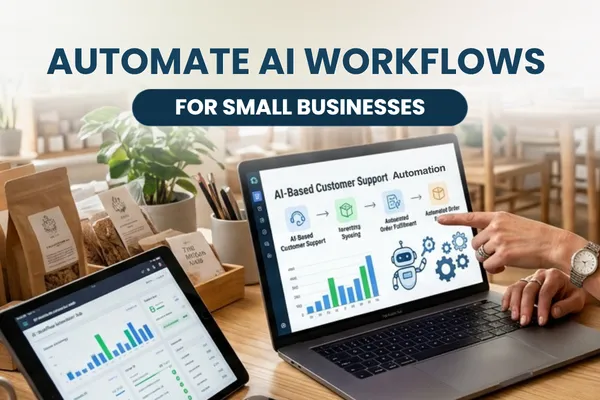
Automate AI Workflows for Small Businesses
AI, Workflow Automation, Small Business
10 AI Workflows Small Businesses Can Automate Without Hiring
If you’ve ever thought, “If I could just clone myself, this business would run smoothly,” AI workflow automation for small business is the closest thing you’re going to get, without adding payroll or learning to code.
You’ve probably already tried at least one AI tool. Maybe it helped a bit, maybe it created more cleanup work than it saved. You don’t need more hype you need clear examples of AI business workflows that actually reduce your workload, not add another thing to manage.
In this guide, we’ll walk through 10 practical AI workflow automations you can set up without hiring a developer or a full-time assistant. You’ll see where they fit, which tools to consider, what can go wrong, and how to avoid expensive mistakes. By the end, you’ll know exactly which two or three workflows to start with and how to roll them out in a way that feels manageable, not overwhelming.
First, let’s be honest about the real problem
Most small business owners are not short on ideas. You’re short on time, energy, and reliable help. You’re answering emails at night, chasing invoices on weekends, and trying to remember if you ever followed up with that great lead from three weeks ago. The work isn’t always hard but it’s constant, and it never stays done for long.
According to the U.S. Chamber of Commerce Foundation, about half of small business employees already use AI mostly to boost productivity, not replace jobs while only 6% use it for fully automated workflows (uschamberfoundation.org). That gap is where your opportunity sits. You don’t need AI doing everything. You need it quietly handling the repetitive, judgment-light tasks so you can focus on the work that actually grows the business.
💡 Quick mindset shift: Think of AI workflow automation as “delegation to software,” not a giant tech project. You’re not rebuilding your business, you’re giving yourself back a few hours each week.
How AI workflow automation for small business actually works
At a simple level, AI workflow automation connects three things:
A trigger — something that happens (a new lead, a paid invoice, a form submission).
An AI step — writing, summarizing, classifying, or deciding what to do next.
An action — send an email, update a spreadsheet or CRM, create a task, log a note.
Tools like Zapier, Make, and Microsoft Power Automate let you connect the tools you already use your inbox, calendar, CRM, accounting software and drop AI into the middle as a smart assistant. Most of the examples below use that pattern: trigger → AI thinks → tool acts.
If you want a broader overview of tools before you dive into workflows, bookmark AI Tools for Small Business: Getting Started Guide and come back to it after you’ve picked one or two automations from this list.
10 AI workflows small businesses can automate without hiring
1. Lead capture, enrichment, and first reply
Before: A lead fills out your website form on Friday night. You see it Monday, reply Tuesday, and by then they’ve booked with someone else. You copy details into your CRM when you remember and maybe tag them, maybe not.
After: When a lead submits a form, Zapier or Make sends the details to ChatGPT or Claude. The AI:
Summarizes their needs in one line.
Classifies them (hot, warm, cold) based on budget, timeline, and fit.
Drafts a personalized first reply email in your tone, which is sent automatically or queued for your review.
Tools: Website form (Typeform, Gravity Forms, Wix), Zapier or Make, ChatGPT, your email or CRM. This is one of the most common small business automation ideas because it protects revenue and saves time in the same move.
Tradeoff: If you fully automate the reply, you risk sending the occasional awkward message. Early on, keep replies in “draft for approval” mode until you trust the workflow.
2. Email triage and daily summary
Your inbox is not your job, but it can easily eat half your day. AI workflow automation can turn that flood into a short, focused list of decisions instead of 147 separate interruptions.
New emails are labeled by AI as urgent, money-related, admin, or can wait.
AI drafts replies for common questions (reschedule requests, pricing questions, basic FAQs) and saves them as drafts.
Once a day, you get a summary: top 10 emails, what they’re about, and suggested actions.
Tools: Gmail or Outlook, Zapier or Microsoft Power Automate, ChatGPT/Claude. This is a perfect early AI business workflow because nothing sends without your approval, but you avoid writing the same email 40 times a week.
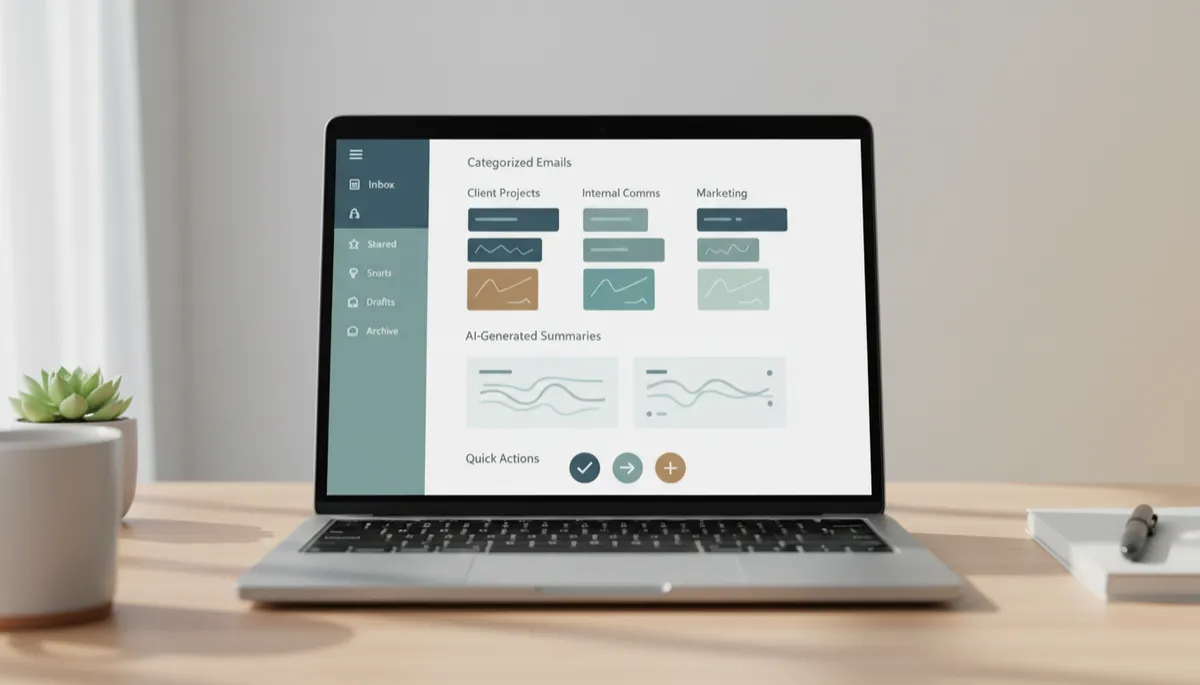
-style dashboard mockup showing categorized emails, AI-generated summaries, and simple action...
Email triage workflows often save owners one to two hours every weekday.
3. Content drafting from a single brief
Consistent content gets you found but writing from scratch every time is exhausting. AI workflow automation shines here when you treat AI as your first-draft assistant, not your final voice. For a deeper dive, see How to Use AI for Content Creation: A Simple Guide for Small Business Owners.
You fill out a simple brief form once: topic, audience, offer, tone, key points.
AI generates a blog outline, email draft, and three social posts from that one brief.
The workflow saves drafts to Google Docs or your CMS, ready for human editing.
Tools: Form tool, ChatGPT or Jasper, Google Docs, plus Zapier or Make to connect everything. This is where Inspired AI Hub’s frameworks are especially useful—so your content sounds like you, not like every other AI-generated post on the internet.
Risk to avoid: Publishing AI drafts as-is. That’s how you end up with bland, generic content. Use AI for speed, then layer your stories, examples, and specifics on top.
4. Social media scheduling and repurposing
You record a podcast, write a newsletter, or host a webinar then it quietly dies after one use. AI automation can turn one long piece into a month of posts without you manually rewriting everything.
Upload a transcript or long-form piece to an AI tool (ChatGPT, NotebookLM, Descript).
AI pulls key ideas, quotes, and tips, then drafts posts for different platforms and audiences.
A connected workflow pushes approved posts into your scheduler on a set cadence.
Tools: Descript or Otter.ai for transcripts, ChatGPT, Canva Magic Studio for visuals, plus your scheduling tool. This is a classic AI automation example where the heavy lifting happens once, then AI carries it forward.
5. Invoice creation, reminders, and payment nudges
Cash flow problems are often follow-up problems. AI can’t make clients pay but it can make sure you never forget to ask, and it can phrase those nudges in a firm-but-kind way that protects relationships.
When a project is marked “complete” in your project tool, an invoice is created automatically in Wave or Xero.
If an invoice is still unpaid after X days, AI drafts a personalized reminder email referencing the project and agreed timeline.
A second reminder escalates tone slightly, while still staying on-brand and professional.
Tools: Wave or Xero, Zapier, ChatGPT or Claude for Small Business. If you’re already exploring finance-focused AI like XeroForce, this is a natural early workflow to test.
Watch out for: Wrong amounts or dates if your trigger is misconfigured. Always test with small invoices first and keep reminders in approval mode until you’ve seen a full cycle work correctly.
6. Appointment scheduling and follow-up workflows
Back-and-forth scheduling is a classic time sink. Tools like Calendly, Motion, and Reclaim.ai already automate availability. Adding AI on top lets you personalize confirmations, reminders, and post-meeting follow-ups without writing them from scratch every time.
When someone books, AI drafts a confirmation email that sets expectations and shares prep instructions based on the meeting type.
After the meeting, AI pulls your notes (or a transcript from Otter.ai) and drafts a recap with next steps and deadlines.
Follow-up tasks are created in your project tool or CRM automatically.
This is where AI assistants and AI automation meet, something we unpack in What Is the Difference Between AI Automation and AI Assistants.
7. Customer support FAQs and routing
Not every question needs a human. Tools like Tidio and AI phone agents can handle repetitive “how do I” questions, freeing you or your team to focus on the tricky, high-value conversations.
AI chatbots answer common questions instantly using your help docs, policies, and past responses as training material.
When a question is complex or emotional, the bot routes it to a human with a short AI-written summary so you’re not starting cold.
Phone agents can capture details, schedule appointments, and send you call summaries, as we explore in the posts on AI phone receptionists and AI phone agents.
Tools: Tidio, AI phone agents, Zapier, your CRM or ticketing system. This kind of business process automation AI is especially helpful for service businesses drowning in repetitive inquiries.
Key safeguard: Make it easy for customers to reach a human. Use AI as a smart first line, not a brick wall between you and your clients.
8. Internal SOPs and documentation from work you already do
You know you “should” document your processes, but who has the time to sit down and write manuals? AI can turn the work you’re already doing into usable SOPs with very little extra effort from you.
Record your screen while completing a task and narrate what you’re doing.
AI tools transcribe and summarize the steps, then format them into a checklist or SOP draft.
Updated versions can be generated automatically when you change the process and record a new run-through.
Tools: Loom or similar screen recorder, Otter.ai or NotebookLM, ChatGPT, plus a documentation tool or shared drive. This is a subtle but powerful AI automation example it makes hiring and delegating much easier later.
9. Simple reporting and “morning briefing” dashboards
You don’t need 20 dashboards you need one clear picture of how things are going. Many small businesses are using AI to pull numbers from different tools and turn them into a short, human-readable briefing each day or week.
AI pulls data from your CRM, payment processor, and website analytics via Zapier or Make.
It calculates a few key metrics leads, sales, pipeline, show-up rate, etc. and compares them to last week or month.
You receive a short email or Slack message summarizing what changed and what deserves your attention.
Platforms like Wix Symphony and Relevance AI are pushing this further with multi-agent “digital coworkers” that coordinate these kinds of tasks in the background. For most small businesses, a simple summary email is plenty to start.
10. Hiring workflow: screening, shortlisting, and communication
Hiring is high-stakes and time-consuming. AI can’t choose your next team member, but it can help you get to a strong shortlist faster and keep candidates informed along the way.
Resumes are ingested into an AI tool that scores them against your must-have criteria and flags top candidates for human review (tools like Breezy HR already do this with AI-powered match scores zapier.com).
AI drafts polite, consistent messages to candidates you’re moving forward and to those you’re not, so no one is left hanging because you ran out of time to reply.
Important caveat: You still make the final call. Use AI for sorting and drafting communication, not for deciding who to hire. Always review for fairness and fit.
What can go wrong with AI workflow automation and how to avoid it
Over-automation: Trying to automate everything at once leads to confusion and broken processes. Start with 1–3 workflows that clearly save time or protect revenue, then expand once those are stable. The Federal Reserve Bank of San Francisco notes that cost, training, and accuracy concerns are real barriers for small businesses, measured, step-by-step adoption helps manage those (frbsf.org).
Hallucinations and wrong answers: AI can be confidently wrong. Keep AI away from legal, medical, or highly sensitive decisions, and always review anything that goes out in your name until you trust the pattern.
Brand voice drift: Generic AI output can make your marketing sound like everyone else’s. Training AI on your voice and examples—something we walk through in How to Train ChatGPT to Match Your Brand Voice—keeps your content recognizable and human.
Hidden tool costs: It’s easy to stack up subscriptions that don’t earn their keep. Most successful small business stacks stay under $100/month (aiautomationhacks.com). Review tools every quarter and cut anything that isn’t saving clear time or money.
A simple, realistic path to getting started with AI workflows
List your “annoying but necessary” tasks. Think email triage, lead follow-up, invoicing, reporting, content drafting. Circle the ones you repeat weekly and that don’t require deep judgment.
Pick one workflow from this list. For most owners, lead follow-up or email triage is the highest-impact starting point. Aim for something that saves at least an hour a week when it’s working well.
Choose one integration tool. Zapier is usually the easiest entry point; Make is great if you like visual flows; Microsoft Power Automate fits well if you live in Microsoft 365. Don’t overthink it, pick one and learn the basics.
Start in “assistant” mode, not full automation. Have AI create drafts, labels, or suggestions that you approve. Once you’ve seen it behave correctly for a few weeks, you can safely move pieces to full automation where appropriate.
Measure the impact. Track simple numbers: hours saved, emails sent faster, invoices paid sooner, leads followed up within 24 hours. If a workflow isn’t earning its keep, adjust or retire it.
For more help deciding which tools deserve a spot in your stack, see How to Decide Which AI Tools Are Worth Paying For.
FAQ: 10 AI Workflows Small Businesses Can Automate Without Hiring
Is AI workflow automation for small business really worth the setup time?
Yes, if you focus on a few high-impact workflows instead of trying to automate everything. The goal is to reclaim recurring hours, not to build a perfect system. When one workflow consistently saves you an hour or more each week, the setup time pays for itself quickly and keeps paying you back every month.
Which AI business workflows should I start with if I’m short on time?
Start with lead follow-up, email triage, or invoice reminders these directly affect revenue and daily stress. They’re also relatively low risk and easy to monitor. Once you see results there, you can layer in content drafting, reporting, or customer support automations at your own pace.
Do I need a developer to build small business automation ideas like these?
No. Modern tools like Zapier, Make, and Microsoft Power Automate are designed for non-technical users. They use visual builders and natural language to help you set up AI workflow automation. You may need an afternoon to learn the basics, but you don’t need to write code or hire a developer to get meaningful results.
How do I keep AI automations from sounding robotic or off-brand?
Feed the AI real examples of your writing emails, posts, proposals and give it clear instructions about your tone, phrases you use, and phrases to avoid. Then, always edit important messages before they go out. Over time, you can refine your prompts or even build a custom GPT trained on your brand voice, as covered in How to Train ChatGPT to Match Your Brand Voice and Create Custom GPT for Your Business Easily.
How much should I expect to spend each month on AI workflow tools?
Many small businesses run effective AI automation stacks for under $100 per month, combining a general AI tool (like ChatGPT), one integration platform, and a few AI-enabled apps. Start small, track the time or revenue a workflow returns, and only upgrade or add tools when you see clear ROI. Regularly review subscriptions to keep your stack lean and effective.
You don’t have to choose between speed and originality
AI workflow automation for small business is not about turning your work into a factory line. It’s about clearing the repetitive, low-judgment tasks off your plate so you can spend more time on the conversations, decisions, and creative thinking only you can do. The risk isn’t that AI will take over your business, it’s that generic AI output will make you sound like everyone else if you don’t guide it well.
That gap between “fast but generic” and “distinctly you” is exactly where Inspired AI Hub lives. Whether it’s prompt frameworks, editing workflows, or templates, the goal is the same, help you turn rough AI drafts into specific, on-brand content and automations that actually move the needle. You don’t have to choose between speed and originality; you can have both with the right workflows and guardrails in place.
If you’d like help mapping these 10 AI workflows to your actual tools and processes, you can book a free AI strategy call here: AI Strategy Call with Inspired AI Hub. We’ll focus on two or three automations that give you back real time in the next 30 days not a year from now.